Dynamic Context Injection: Designing Ultra-Low Latency Voice RAG
In web search or text chat, a 1-second delay for a vector database query is completely normal. A user types a prompt into ChatGPT or a search bar, watches an animated typing indicator or bouncing dots for 1,200 milliseconds, and reads the response without frustration.
On a telephone call, that same 1-second delay is an eternity.
Conversational linguistics research shows that natural human turn-taking operates on a razor-thin inter-turn gap of approximately 200 milliseconds. When an awkward pause stretches past 600ms, human conversational psychology triggers an alarm. By 1,000ms of dead air, callers assume the call dropped, get confused, or blurt out: "Hello? Are you still there?"
If your AI phone receptionist starts speaking at that exact moment, you get an immediate voice collision. The bot talks over the human, the human repeats their question in frustration, and the conversation derails into an unrecoverable loop.
How do you implement Retrieval-Augmented Generation (RAG) for phone receptionists when vector search, embedding models, and LLM reasoning threaten to blow past your 200ms latency budget?
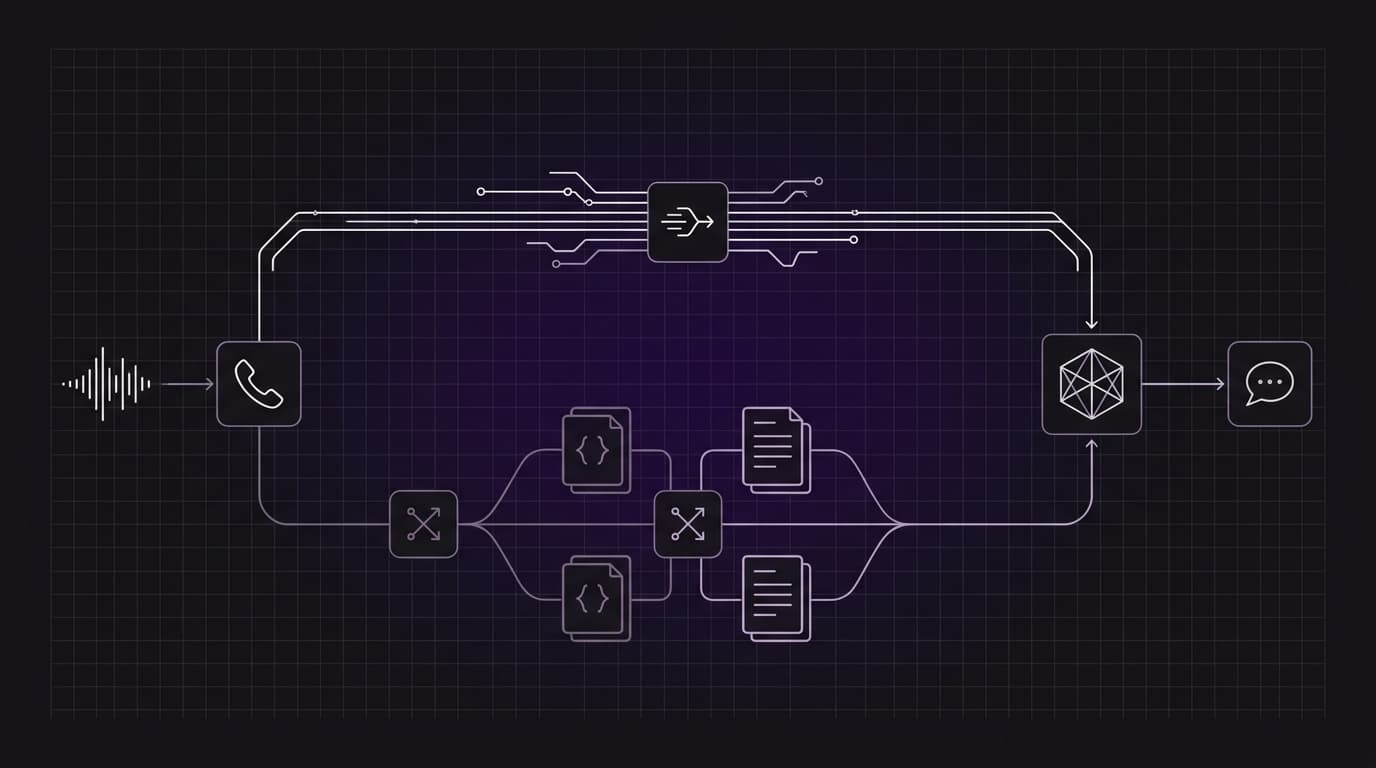
The answer is Dual-Track Voice RAG: replacing naive in-call vector lookups with pre-call dynamic context injection and co-located, voice-optimized knowledge caching.
The Latency Waterfall of Naive Voice RAG
To understand why standard RAG architectures collapse on phone calls, look at the sequential latency waterfall of a naive cascaded pipeline:
Naive In-Call RAG Pipeline (Total Latency: 1,150ms - 2,050ms)

Caller: "Can I cancel my appointment for tomorrow?"
   │
   ├── (1) VAD & Speech Endpointing (200 - 350ms)
   │
   ├── (2) Audio Transcribed to Text (150 - 250ms)
   │
   ├── (3) Embedding Model Call (50 - 100ms)
   │
   ├── (4) External Vector DB Query [Pinecone / Milvus] (100 - 250ms)
   │
   ├── (5) LLM Time-to-First-Token [TTFT] with Injected Chunks (450 - 750ms)
   │
   ├── (6) First Audio Chunk TTS Synthesis (150 - 250ms)
   │
   └── (7) Telephony Jitter Buffer (50 - 100ms)
         ▼
Bot:   [ Speaks first syllable after ~1,500ms of dead air ]
When every step in the retrieval chain is executed sequentially across disparate cloud providers over the public internet, you are burning 1,000ms to 2,000ms before generating a single phoneme of speech.
In voice AI, you cannot afford an ad-hoc vector database trip on every conversational turn. You must separate what can be known before the conversation starts from what must be retrieved during the conversation.
Track 1: Pre-Call Dynamic Context Injection (0ms In-Call Latency)
In telephone reception, a massive portion of caller intent is predictable from the moment the carrier rings.
When a patient calls a dental clinic, they aren't asking abstract philosophical questions; they are calling to confirm an appointment, ask for directions, or reschedule an upcoming visit. Because telephony provides caller metadata upfront (fromNumber / Caller ID), you can resolve customer context before the call audio stream begins.
Orbitali Dynamic Context Injection Architecture

Telephony Gateway (Twilio/Telnyx)
      │
      ├── (1) Inbound SIP INVITE [fromNumber: +15551234567]
      │
      ▼
Orbitali Runtime ──(2) agent:assistant-request (Webhook)──> Customer Backend
      │                                                           │
      │                                                   (3) DB / CRM Lookup
      │                                                       (25ms in Postgres)
      │                                                           │
      │<─(4) Injected Session Prompt + Dynamic Greeting───────────┘
      │
      ├── (5) Deliver Mandatory AI Identity Disclosure
      ▼
Real-Time Model (Already loaded with customer profile & appointment data)
      │
      └── Zero-Latency Turn-Taking (0ms retrieval overhead during call)
At Orbitali, this is implemented through the agent:assistant-request lifecycle event on webhook agents.
How It Works Under the Hood
- Carrier Handshake: An inbound call hits your dedicated phone number. Orbitali receives the carrier webhook containing the caller's phone number (
fromNumber), your dialed number (toNumber), and call ID. - Dynamic Context Fetch: Orbitali immediately dispatches an HTTPS
POSTrequest with an HMAC-SHA256 signature to your Server URL. - Database Pre-Fetch: Your backend queries your internal database or CRM using the caller's E.164 phone number. In 20–50ms, your server identifies the customer, grabs their active appointments, outstanding balances, or recent ticket history.
- Prompt & Greeting Injection: Your server returns a custom, dynamically assembled system prompt and a tailored greeting.
- Session Bootstrap: While Orbitali delivers the mandatory, localized AI identity disclosure (required by voice regulations), the real-time model initializes with this dynamic context already resident in its active attention window.
When the caller says, "Hi, I need to check my booking," the agent doesn't need to query a vector database, parse embeddings, or execute an external lookup. The model already knows who is calling and what they have booked.
In-call retrieval latency: 0 milliseconds.
Handling agent:assistant-request in Production
Here is a production-ready Node.js/TypeScript implementation demonstrating how to handle dynamic context injection with cryptographic HMAC-SHA256 verification:
import express, { Request, Response } from "express";
import { createHmac, timingSafeEqual } from "node:crypto";

const app = express();
// Capture raw body for exact cryptographic signature verification
app.use(express.json({
  verify: (req: any, _res, buf) => {
    req.rawBody = buf;
  }
}));

const ORBITALI_SERVER_SECRET = process.env.ORBITALI_SERVER_SECRET!;

// Cryptographically verify that the request originated from Orbitali
function verifyOrbitaliSignature(rawBody: Buffer, signatureHeader: string | undefined): boolean {
  if (!signatureHeader || !signatureHeader.startsWith("sha256=")) return false;

  const supplied = signatureHeader.slice(7);
  if (!/^[a-f0-9]{64}$/i.test(supplied)) return false;

  const expected = createHmac("sha256", ORBITALI_SERVER_SECRET)
    .update(rawBody)
    .digest("hex");

  return timingSafeEqual(Buffer.from(supplied, "hex"), Buffer.from(expected, "hex"));
}

// Mock customer CRM database
const crmDatabase = {
  findCustomerByPhone: async (phone: string) => {
    if (phone === "+15550199283") {
      return {
        id: "cust_481",
        name: "Elena Rostova",
        nextAppointment: {
          date: "Tomorrow at 2:30 PM",
          doctor: "Dr. Aris Thorne",
          service: "Routine Dental Cleaning"
        }
      };
    }
    return null;
  }
};

app.post("/webhook/orbitali", async (req: Request, res: Response) => {
  const signature = req.headers["x-orbitali-signature"] as string;
  const rawBody = (req as any).rawBody as Buffer;

  if (!verifyOrbitaliSignature(rawBody, signature)) {
    return res.status(401).json({ error: "Invalid signature" });
  }

  const { message } = req.body;

  // Handle pre-call dynamic context injection
  if (message?.type === "agent:assistant-request") {
    const callerPhone = message.call?.fromNumber;
    const customer = callerPhone ? await crmDatabase.findCustomerByPhone(callerPhone) : null;

    if (customer && customer.nextAppointment) {
      // Inject known user context directly into prompt and greeting
      return res.json({
        prompt: `You are the AI receptionist for Apex Dental. You are speaking with ${customer.name}.
Caller Context:
- Next appointment: ${customer.nextAppointment.date} with <span class="katex"><span class="katex-mathml"><math xmlns="http://www.w3.org/1998/Math/MathML"><semantics><mrow><mrow><mi>c</mi><mi>u</mi><mi>s</mi><mi>t</mi><mi>o</mi><mi>m</mi><mi>e</mi><mi>r</mi><mi mathvariant="normal">.</mi><mi>n</mi><mi>e</mi><mi>x</mi><mi>t</mi><mi>A</mi><mi>p</mi><mi>p</mi><mi>o</mi><mi>i</mi><mi>n</mi><mi>t</mi><mi>m</mi><mi>e</mi><mi>n</mi><mi>t</mi><mi mathvariant="normal">.</mi><mi>d</mi><mi>o</mi><mi>c</mi><mi>t</mi><mi>o</mi><mi>r</mi></mrow><mo stretchy="false">(</mo></mrow><annotation encoding="application/x-tex">{customer.nextAppointment.doctor} (</annotation></semantics></math></span><span class="katex-html" aria-hidden="true"><span class="base"><span class="strut" style="height:1em;vertical-align:-0.25em;"></span><span class="mord"><span class="mord mathnormal">c</span><span class="mord mathnormal">u</span><span class="mord mathnormal">s</span><span class="mord mathnormal">t</span><span class="mord mathnormal">o</span><span class="mord mathnormal">m</span><span class="mord mathnormal" style="margin-right:0.0278em;">er</span><span class="mord">.</span><span class="mord mathnormal">n</span><span class="mord mathnormal">e</span><span class="mord mathnormal">x</span><span class="mord mathnormal">t</span><span class="mord mathnormal">A</span><span class="mord mathnormal">pp</span><span class="mord mathnormal">o</span><span class="mord mathnormal">in</span><span class="mord mathnormal">t</span><span class="mord mathnormal">m</span><span class="mord mathnormal">e</span><span class="mord mathnormal">n</span><span class="mord mathnormal">t</span><span class="mord">.</span><span class="mord mathnormal">d</span><span class="mord mathnormal">oc</span><span class="mord mathnormal">t</span><span class="mord mathnormal" style="margin-right:0.0278em;">or</span></span><span class="mopen">(</span></span></span></span>{customer.nextAppointment.service}).
Instructions:
- Greet Elena warmly by name and confirm if she is calling regarding her upcoming appointment.
- Keep answers concise, factual, and strictly under two sentences per turn.`,
        greeting: `Hello Elena, thank you for calling Apex Dental. Are you calling about your appointment with Dr. Thorne tomorrow at 2:30 PM?`
      });
    }

    // Default prompt for first-time or unknown callers
    return res.json({
      prompt: `You are the AI receptionist for Apex Dental.
Instructions:
- Greet the caller politely and ask for their name and how you can assist them.
- Keep all responses under two sentences.`,
      greeting: `Thank you for calling Apex Dental. How may I assist you today?`
    });
  }

  return res.status(400).json({ error: "Unhandled event type" });
});

app.listen(3000, () => console.log("Orbitali Webhook Server running on port 3000"));
Track 2: Co-Located Knowledge Retrieval Under the Hood
Pre-fetching handles user-specific state, but what about broad, unscripted domain knowledge?
A dental clinic receptionist must answer questions about complex insurance networks, teeth whitening pricing tiers, post-operative care instructions, or parking validations. You cannot inject a 60-page clinic policy manual into every per-call prompt—doing so wastes context window tokens and slows down attention calculation.
This is where in-call RAG is necessary. But to keep latency under the threshold, Orbitali eliminates the external network roundtrip entirely.
How Orbitali Handles Cached Knowledge Bases
Orbitali provides native knowledge base ingestion via the dashboard, public REST API (/public/v1/agents/{agent_id}/knowledge), and the @orbitali/mcp server.
Orbitali Native Knowledge Engine

[ Markdown / PDF / Text Docs ] (Up to 1 MB)
               │
               ▼
   [ Text Extraction & Normalization ]
               │
               ▼
   [ Semantic Chunking Engine ]
     (~600 tokens per chunk with 100-token overlap)
               │
               ▼
   [ Vertex AI Embedding Pipeline ]
     (768-dimensional dense vector embeddings)
               │
               ▼
   [ PostgreSQL + pgvector Cluster ]
     (Agent-scoped HNSW indexing & vector storage)
               │
               │ (Live Phone Call)
               ▼
┌─────────────────────────────────────────────────────────────┐
│ Orbitali Voice Runtime (Go)                                 │
│                                                             │
│ Real-Time Model ──[ Native search_knowledge ]──> pgvector   │
│ (Zero external HTTP hops; sub-50ms co-located retrieval)    │
└─────────────────────────────────────────────────────────────┘- Ingestion & Semantic Chunking: When you upload Markdown (
.md), plain text (.txt), or PDF (.pdf) documents, Orbitali normalizes the text and splits it into overlapping semantic chunks of approximately 600 tokens with a 100-token overlap. - High-Dimensional Embeddings: Chunks are vectorized into 768-dimensional embeddings via Vertex AI and indexed in a managed PostgreSQL database with
pgvector. - Co-Located Runtime Tooling: When an agent is configured with knowledge documents, Orbitali automatically provisions the native
search_knowledgetool inside the real-time model's session. - Sub-Millisecond Cosine Search: Because the voice orchestration runtime and the vector index operate within the same private regional infrastructure, semantic similarity search executes without traversing the public internet. The model retrieves precise text chunks in tens of milliseconds.
Structuring Documents for Voice Retrieval Speed and Precision
Most enterprise documents are written for human eyes, not synthetic vocal cords. Uploading a raw, multi-column corporate PDF or a complex pricing table directly into a vector database creates severe conversational friction.
Here are four rules for structuring knowledge bases specifically for ultra-low latency voice RAG:
1. Atomic, Answer-First Chunks
Large language models stream spoken output token-by-token. If a retrieved chunk buries the answer behind three paragraphs of historical background, the model will spend seconds generating introductory fluff before answering the caller's question.
Structure your markdown documents using an Answer-First pattern:
<!-- BAD: Document written for a website or print brochure -->
# Cancellation Guidelines
Apex Dental was founded on the principle of patient-first care. Because our practitioners
reserve extensive surgical and clinical suites specifically for your scheduled procedure,
late cancellations significantly impact our staff scheduling and operating readiness. In the
event that an individual must cancel, we require notice... [150 words later] ...a $50 fee applies
if cancelled under 24 hours.

<!-- GOOD: Voice-optimized knowledge chunk -->
# Cancellation Policy and Fees
- Cancellations with more than 24 hours notice: Completely free of charge.
- Cancellations with less than 24 hours notice: A $50 late cancellation fee is billed to the account.
- Emergency exceptions: Cancellation fees are waived for medical emergencies or documented severe weather.
When the model retrieves the voice-optimized chunk, its very first generated token directly addresses the caller's question without preamble.
2. Conversational Heading Anchors
Embedding models compute semantic similarity by comparing the caller's spoken query with your indexed chunks. Callers speak in natural questions, not formal legal terminology.
Use markdown headings that mirror spoken language:
- Avoid:
### Sec. 4.1.2 - Prophylaxis Fee Schedule - Use:
### How much does a standard dental cleaning cost?
Embedding algorithms match conversational queries like "How much is a teeth cleaning?" far more accurately to heading anchors that reflect spoken intent, preventing vector search misses.
3. Replace Tables with Declarative Bullet Points
Markdown tables are catastrophic for voice synthesis. Real-time voice models struggle to parse row-column intersections on the fly and often verbalize cell coordinates or pipes awkwardly.
Convert all matrices and tables into declarative key-value lists:
<!-- POOR FOR VOICE: Markdown Table -->
| Procedure | Standard Price | Insured Copay | Duration |
| Oral Exam | $80 | $15 | 30 mins |
| Deep Cleaning | $240 | $50 | 60 mins |

<!-- OPTIMAL FOR VOICE: Declarative Key-Value -->
### Dental Procedure Pricing and Timing
- Oral Exam: $80 standard price, $15 copay with insurance, takes 30 minutes.
- Deep Cleaning: $240 standard price, $50 copay with insurance, takes 60 minutes.
4. Separate Static Knowledge from Transactional Tools
A common anti-pattern is attempting to use RAG for real-time transactional data, such as calendar slot availability or inventory counts.
Vector databases are designed for semantic reference search, not transactional state.
- Use Knowledge Bases (
search_knowledge): For business hours, clinic policies, pricing rules, provider bios, and preparation instructions. - Use Webhook Tools (
agent:tool-call): For querying live calendar availability (check_availability), booking an appointment (book_slot), or looking up real-time delivery status (get_tracking).
Keeping static knowledge in cached files and dynamic transactions in webhook tools ensures vector indices remain immutable, fast, and cacheable.
Acoustic Masking: Managing the Unavoidable Pause
Even with co-located vector search and sub-50ms queries, complex multi-step reasoning or external API calls occasionally require 300ms to 500ms of processing time.
When an in-call retrieval pause is unavoidable, you must use Acoustic Masking (conversational filler phrases) to maintain turn-taking psychology.
In human conversation, when someone asks a difficult question, you don't stare at them blankly in silence for two seconds—you say "Sure, let me check that for you," or "One moment, looking that up."
By configuring your agent's system instructions to emit brief, natural conversational markers before invoking heavy retrieval tools, you reset the caller's internal latency timer:
"When you need to look up detailed insurance coverage or clinic policies using search_knowledge,
first say a brief verbal acknowledgment such as 'Let me check that policy for you real quick,'
before calling the tool. This keeps the caller engaged."
The conversational filler plays immediately (within 150ms), acknowledging the caller's turn and masking the vector search execution in the background.
Uploading Knowledge Documents via the Orbitali API
You can programmatically sync your company's knowledge documents to an agent during deployment using Orbitali's public REST API:
# Upload a voice-optimized markdown policy document to an agent
curl -X POST "https://api.orbitali.ai/public/v1/agents/agent_01j9x7k2/knowledge" \
  -H "Authorization: Bearer $ORBITALI_API_KEY" \
  -F "file=@clinic_policies.md;type=text/markdown"
Or using the @orbitali/mcp server directly from your coding agent:
{
  "name": "upload_knowledge_document",
  "arguments": {
    "agentId": "agent_01j9x7k2",
    "filePath": "./docs/voice_knowledge/clinic_policies.md"
  }
}
Once uploaded, Orbitali automatically indexes the document chunks in pgvector and equips the real-time agent with the search_knowledge tool, ready for zero-friction telephone interactions.
Summary: The Sub-200ms Voice RAG Blueprint
Building voice AI that feels human requires abandoning the naive, one-size-fits-all vector search patterns of text chatbots:
- Pre-Fetch Predictable Context: Use Orbitali's
agent:assistant-requestwebhook to look up callers by phone number and inject their identity, appointments, and status into the initial prompt. In-call latency = 0ms. - Co-Locate Semantic Knowledge: Keep domain reference documents inside Orbitali's cached knowledge engine (
.md/.pdf), allowing the runtime to run vector similarity searches co-located in the same cluster. - Write for the Ear: Structure documents with answer-first summaries, conversational heading anchors, and declarative bullet points rather than dense tables.
- Isolate Dynamic State: Reserve custom webhook tools for transactional queries and mutative actions, keeping knowledge indices fast and static.
- Use Acoustic Masking: Bridge unavoidable tool pauses with natural conversational fillers so the caller never experiences dead air.
By combining pre-call dynamic context injection with co-located knowledge caching, you can deliver voice agents that answer domain-specific questions instantly—without ever leaving your callers in awkward silence.